





Pescao6
Administradores
-
Se unió
-
Última visita
Everything posted by Pescao6
-
-
-
Hola @Antorches Afortunadamente entrastes al sitio web justo cuando tuvimos que ponerlo offline por unos días para aplicar unos cambios. 😷 Si sigues jugando Old School RuneScape, puedes encontrarnos en mi clan chat: Pescao6
-
Hola @runescapero disculpa la demora en responder. No he estado muy pendiente de estos foros porque estaba aplicando cambios en la configuración del sitio web y nuestro discord. Gracias por reportar este error; ya deberías poder editar los mensajes. Estaremos comenzando a utilizar más este sitio web en las próximas semanas. Si estás en Old School RuneScape, entra a mi clan chat: Pescao6 Gracias por ser de los primeros en probar nuestro sitio web y bienvenido al Imperio! 🙂
-
@Grid766 😅 Si. Mis disculpas por la demora en responder. Estamos remodelando y he estado un poco ocupado. Si estás jugando Old School RuneScape, puedes entrar al Clan Chat: Pescao6
-
Wepa @RicRey Gracias por ser de los primeros en publicar tu introducción y por toda la ayuda con la creación del nuevo sitio web. 😺
-
Hola @Agueybana En verdad que mala mía por no responder antes. 😅 Vi tu mensaje, pero me distraje con otras cosas y se me fue volando el tiempo. Gracias por ser de las primeras personas en publicar tu introducción. 🙂 ¿Qué es lo que más te gusta del navy? 🧐
-
🧙♂️ Wepa! Para los que no conocen a Shinjita, ella es de una de las primeras personas que conocí en RuneScape. Estuvo ahí conmigo en Wilderness ayudándome a conseguir planks para hacer Dragon Slayer en el Graveyard of Shadows hace 15 años atrás y estuvo ahí siendo de las primeras personas en ayudar con la creación de nuestro nuevo sitio web. Gracias por todas tus contribuciones a El Imperio Latino. Sin personas como tú, esto no existiría hoy. ❤️
-
-
until
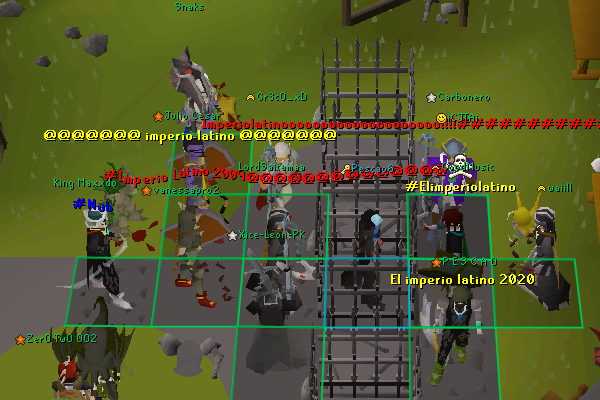
P2P Clan War Día: Domingo, 19 de abril de 2020 Hora: 9:00pm UTC-4 Hora Imperial Mundo: W378 Lugar: Clan Wars Purple Portal Arena: Plateau Rounds: 2/3 Full Out Knockout -
Hola hipe, 👋 Gracias por ser de los primeros en utilizar nuestro nuevo sitio web. Estaremos poniendo más información sobre la comunidad y el clan pronto. Ahora mismo estamos trabajando con finalizar las reglas para abrir los foros de la comunidad y luego abriremos aplicaciones para interesados en ser miembros del clan. 😃 Por ahora, puedes entrar a nuestro discord: https://discord.me/elimperiolatino
-
Wepa Sajoh, Gracias por ser de las primeras personas en publicar tu introducción y ayudarnos a probar el nuevo sitio web. 😺 🤯 Wow haces muchas cosas que no sabía. Espero que distrutes compartiendo el vicio nuevo con nosotros. 🎮
-
Wepa Carbonero, Gracias por ser los primeros en publicar tu intro en el foro nuevo. 🙂 El gordito salado de Bandos nunca me tira nada, pero me avisas si quieres ir. Agüeybana II literal vive en Bandos, so mándale un mensaje si quieres ir con él. 👺 Si quieres aprender raids, habla con lXxRIPxXl. Yo tengo 3 kills de cox atm y 2 fueron con él. 🐍
-
until
🐰Nos vemos en Falador w378.🐰 https://oldschool.runescape.wiki/w/2020_Easter_event -
-
P2P Clan War Día: Viernes, 3 de abril de 2020 Hora: 9:00pm UTC-4 Hora Imperial Mundo: W378 Lugar: Clan Wars Purple Portal Arena: Plateau Rounds: 2/3 Full Out Knockout
- 1 comentario
- 1 reseña
-
Ok, confieso que les mentí y me quedó un poco como click bait el título. En este día de April's Fools en el que le estamos haciendo una chévere broma a todos haciéndolos pensar que estamos cerrando nuestra comunidad luego de 3 meses construyendo este nuevo sitio web, deseamos hacer lo opuesto e ir abriendo los foros de nuestro sitio web. ¿Para qué es todo esto y porqué decidimos abrir foros nuevos en el 2020? Mucha gente hoy día usa redes sociales o Discord para comunicarse. Luego de varios años usando sólo Discord, encontramos que faltaba algo que teníamos cuando usabamos foros. Esperamos que según comenzemos a abrir secciones nuevas en la página y publicar contenido entiendan poco a poco la visión que tenemos de crear un espacio para gamers que hablen español. Gracias por ser de los primeros miembros en unirse a nuestro nuevo sitio web!
-
until
-
until
-
Mi nombre es Miguel y soy de Puerto Rico. Estudio programación, diseño sitios web y arreglo computadoras. Llevo 15 años jugando RuneScape y cree este sitio para que tengamos un espacio para comunicarnos mejor entre amigos de todo el mundo! Sígueme en Twitter y Twitch: https://twitter.com/pescao6 https://www.twitch.tv/pescao6
-
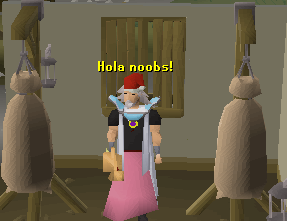
Explicación: ¿Eres un noob aquí? ¡Saluda y preséntate! Detalles: Este foro fue creado con el propósito de darle la bienvenida a todas las personas que visiten El Imperio Latino por primera vez. Sé creativo y cuéntanos algo sobre tí. Si te sientes creativo, has un animoto. Exclusión: Los temas publicados en este foro sólo pueden ser vistos por usuarios registrados. Función de Moderadores: Los moderadores de esta área editarán mensajes que compartan demasiada información personal cuya podría poner en riesgo tu seguridad o privacidad y se removerán cualquier tipo de violación a nuestras reglas.
-
until
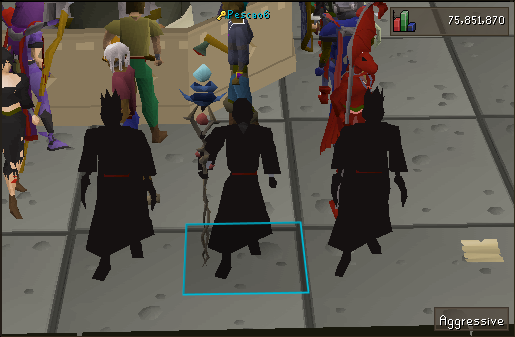
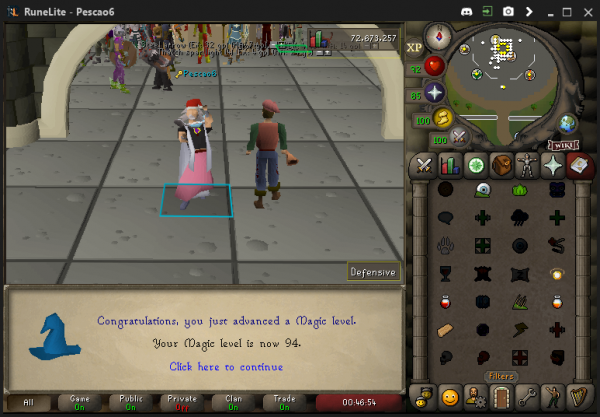
🤫RSVP, introdúcete en Caseta de Bienvenida y encuéntranos para un regalito por ser de los primeros en entrar al sitio web! 🎁 Sólo dummies no saben que nos reunimos en Dummies w378! 😂 🤐 Private off Clan Chat off ¿Por dónde te enteraste de este evento? ¿Lo viste o te lo perdiste? 🤨




until